Embarking on a DIY computer upgrade promises both the thrill of customization and the chaos of tangled wires, missing screws, and unexpected setbacks. This journey transforms technical tasks into humorous stories of mishaps—like coffee spills or incompatible parts—that test patience and resilience. While the promise of speed and performance fuels the effort, the reality often involves deciphering cryptic error codes, battling cramped spaces, and tackling small yet frustrating mistakes that can turn a quick fix into hours of troubleshooting. Yet, these chaotic moments become badges of honor, fostering confidence as each obstacle is overcome. Embracing humor and patience turns the process into an engaging adventure, where mistakes are learning opportunities and every success—no matter how small—is satisfying. Are you ready to navigate the unpredictable, messy, and often hilarious world of DIY tech upgrades to emerge with a faster machine and a newfound sense of mastery?

Take Control: The Exciting Journey of DIY Computer Upgrades
Upgrading your computer yourself can be both exciting and a little intimidating. There’s a certain thrill in taking control of your hardware—deciding to swap out that slow hard drive for a speedy SSD or adding more RAM to boost performance. It’s a hands-on experience that promises a sense of independence, allowing you to customize your setup to fit your needs perfectly. Plus, it’s a great way to learn how your machine works and gain confidence in troubleshooting.
But let’s be honest—this journey isn’t always smooth sailing. As soon as you open up your PC and start pulling parts apart, chaos can quickly ensue. Cables twist into knots, tiny screws go missing, and suddenly, what seemed like a simple upgrade turns into a puzzle. Sometimes, you realize that the new component isn’t compatible or that it won’t fit into your case without some serious rearranging. These surprises are part of the process, and they often catch beginners off guard.
Many people jump into DIY upgrades with high hopes, expecting a quick, hassle-free fix. Instead, they find themselves wrestling with tangled wires, struggling to fit a graphics card, or deciphering confusing manuals and error messages. The physical challenges—like cramped spaces and tiny screws—can make even routine tasks feel like a test of patience. It’s easy to underestimate how much care and attention are needed to do things right, especially when rushing or working in a cluttered environment.
What keeps most going is that satisfying moment when everything clicks into place. After hours of troubleshooting, you finally see your system come to life—faster, more responsive, and tailored to your preferences. Those tangled cables and missteps become funny stories you’ll share later, and the experience itself becomes a badge of pride. Even the mishaps—like knocking over a drink or dropping a screw—become part of the adventure, adding humor to the journey.
Doing your own upgrades isn’t just about saving money or avoiding a black box experience with professionals; it’s about immersing yourself in the process. Each obstacle you overcome builds your skills and resilience, turning what once felt overwhelming into a rewarding challenge. It’s a hands-on way to understand your hardware better, making you more confident and capable for future projects.
Of course, expectations often outpace reality. It’s common to think, “This will only take a few minutes,” only to find yourself tangled in cables or waiting on a BIOS update. Staying patient and prepared for surprises makes all the difference. Embracing the chaos with humor and a steady pace transforms a potentially frustrating ordeal into a memorable experience—one that leaves you not just with a faster computer, but with a stronger sense of achievement.
The Hilarious World of Tech Upgrade Chaos
When it comes to DIY tech upgrades, the stories of chaos and comedy are almost endless—and often hilarious. Picture someone trying to tame a nest of cables, only to be greeted by a tangled mess that looks more like a spaghetti dinner gone wrong. No matter how carefully you plan, once you start disconnecting and rerouting wires, chaos quickly takes over. Cables twist into knots, and before you know it, you’re spending more time untangling than actually installing the new hardware.
Then there’s the hardware rebellion—like that time a shiny new graphics card just wouldn’t slide into the case. You’ve measured everything twice, read all the specs, and still, it refuses to fit. Frustration mounts as you try different angles, remove other components, or even consider upgrading the case itself. Often, the real issue is something tiny and overlooked—like a forgotten screw or an incompatible slot—that turns a straightforward upgrade into a frantic puzzle.
Hardware mishaps are a staple of the chaos. One user recalled knocking over a cup of coffee onto their motherboard mid-troubleshooting. The mini flood transformed what should have been a simple fix into a sticky, chaotic mess. Another story involves dropping a RAM stick onto the floor, only to watch it ping across the room and disappear under the desk. These moments of clumsiness may sting at the time but often become the funniest stories later, especially when friends ask about the “great coffee spill of 2023.”
Troubleshooting can feel like deciphering an alien language. Cryptic BIOS codes and error messages seem designed to confuse, prompting frantic Google searches at odd hours. One builder described staring at a screen full of mysterious codes, feeling like they were cracking a secret ancient script. The relief is almost as sweet as the upgrade itself when the problem turns out to be something simple, like a loose cable or a forgotten switch.
Rushing is another common villain. Many hurrying to finish before a deadline or out of impatience overlook small but critical steps—like reconnecting a power cable or properly seating a RAM stick. These tiny oversights can cause the entire system to fail to start, turning a quick upgrade into hours of troubleshooting. Rushing often escalates minor mistakes into full-blown chaos, reminding everyone that patience truly is a virtue.
Unexpected surprises are part of the package. One person spent hours trying to install an SSD, only to realize they’d been plugging the SATA cable into the wrong port the whole time. Another dropped a tiny screw, spending ages fishing it out with a magnet and flashlight. These moments of chaos—while frustrating—become the stories that make the whole process memorable and often funnier in hindsight.
When things go wrong, troubleshooting often turns into a comedy sketch. Imagine poking around inside your PC, only to realize you’ve been reseating a cable that’s already plugged in perfectly. Or trying to power on your system after a successful build, only to discover you forgot to plug in the power supply. These slip-ups happen to everyone and serve as hilarious reminders that even experienced builders have their moments of chaos.
In the end, the chaos of DIY upgrades is universal. It’s a messy, unpredictable process filled with tangled wires, misfit parts, and unexpected setbacks. But embracing these moments with humor and patience transforms frustration into fun. After all, each mistake becomes a badge of honor—proof that you’re learning, growing, and building not just a better computer, but also your confidence as a tech enthusiast.
Understanding the Chaos Behind DIY Upgrades
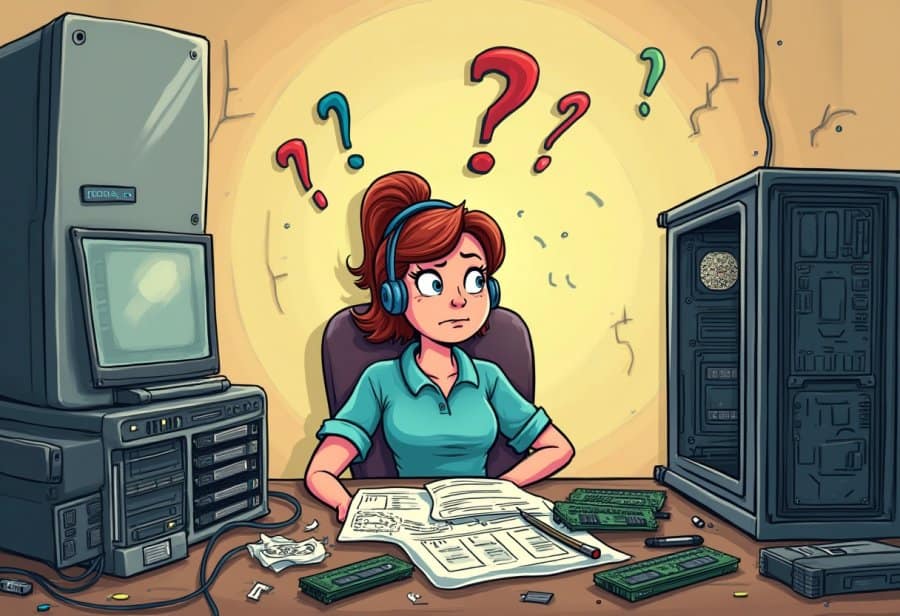
DIY computer upgrades often turn into hilarious chaos for a few simple reasons. For one, modern hardware has become more complex, with components like motherboards, RAM, and graphics cards each demanding specific requirements. Overlooking details like socket compatibility or supported RAM speeds quickly turns a straightforward swap into a frustrating puzzle. It’s easy to assume parts will fit or work seamlessly, only to hit a wall when they don’t align perfectly.
Physical challenges also play a big role. Many cases are designed to maximize space efficiency, which often means working in tight, cramped environments. Maneuvering large components or reaching tiny screws can feel like trying to complete a puzzle in the dark. Cables, which seem simple enough, frequently twist into knots, making the task resemble untangling a giant ball of yarn. These tangled wires not only look chaotic but can also cause accidental disconnections or short circuits if not managed carefully.
Rushing and overconfidence are common culprits. It’s tempting to think, “This will only take a few minutes,” but that mindset often leads to skipped steps or overlooked connections. A loose power cable or an improperly seated RAM stick might seem trivial, but they can cause the entire system to fail to start. These small mistakes tend to snowball, turning a quick upgrade into hours of troubleshooting and adding to the chaos.
Handling tiny, delicate parts naturally invites errors. A misplaced screw can fall into hidden crevices, and hurried hands sometimes knock over tools or drinks onto sensitive components. These moments of clumsiness are frustrating at the moment but often become funny stories later, especially when friends get a laugh out of the “great coffee spill” or the “screw that vanished into thin air.” They remind us that even experienced builders aren’t immune to slip-ups.
Misjudging compatibility can also lead to chaos. Buying a graphics card that’s too large for your case or incompatible RAM modules is a common trap. Sometimes, these issues only become obvious when you try to install the hardware, turning what should be a simple upgrade into a series of unexpected challenges. These surprises keep the process unpredictable and often humorous.
The troubleshooting phase can feel like trying to decode an alien language. Cryptic BIOS messages and error codes seem designed to confuse, prompting frantic Google searches at odd hours. Finding that a loose cable or a forgotten switch is the culprit offers a satisfying moment of relief, but getting to that point involves a lot of head-scratching and patience.
Rushing through the process only makes things worse. Many people overlook critical steps—like properly seating a component or reconnecting a power cable—because they’re eager to finish. These small oversights can prevent the system from booting, transforming a quick upgrade into a comedy of errors. Patience and careful attention to detail are essential to keeping the chaos manageable.
In the end, the chaos of DIY upgrades is part of the experience. It’s messy, unpredictable, and often hilarious. Embracing these moments with humor turns frustration into fun, helping you learn and improve with each project. Because when you accept that tangled wires and misfit parts are just part of the journey, you’re more likely to enjoy the process—and end up with a better, faster PC and some great stories to tell.
Practical Tips to Keep Your Upgrade Smooth and Fun
To keep your upgrade smooth and prevent your workspace from turning into a chaos zone, start with a clear plan. Double-check that all your parts are compatible before you even open the case. Take some time to read manuals, browse online compatibility guides, and verify socket types or supported RAM speeds. This upfront effort can save you from surprises later—nothing kills the mood faster than realizing your new GPU won’t fit after unboxing it.
Organization is your best friend once you’re ready to dive in. Lay out screws, cables, and tools in designated spots. Using small containers or magnetic trays for tiny screws helps prevent losing parts in the chaos. Labeling cables with tags or color codes makes reconnecting easier, especially if troubleshooting comes up later. Keeping your workspace tidy not only speeds up the process but also reduces the risk of tangled wires turning into spaghetti messes.
Patience is key when working with delicate hardware. Take your time with each step—removing old components, installing new ones, and checking connections. Rushing often leads to mistakes like improperly seated RAM or missed power cables, which can cause system failures or even hardware damage. Break the upgrade into manageable tasks and pause after each to double-check your work. This approach keeps frustration at bay and makes troubleshooting simpler if issues arise.
Having the right tools on hand makes a big difference. An anti-static wristband protects your parts from static electricity, while a quality screwdriver prevents stripped screws. A good flashlight can reveal those tiny screws hiding in hard-to-see spots. Watching tutorials or reading guides beforehand helps you spot common pitfalls and understand tricky steps, making the whole process smoother and more confident.
Expect surprises along the way—things don’t always go as planned. When they do, step back and assess calmly. Revisit your compatibility checks, re-read instructions, and don’t hesitate to seek advice from online forums or communities. Sometimes, a fresh perspective is all it takes to find a simple fix and avoid unnecessary chaos. Staying flexible and patient turns potential setbacks into learning moments.
If chaos strikes, breathe deeply and work methodically. Pause if you’re overwhelmed—taking a short break can clear your mind. Return with a fresh outlook, recheck connections, and proceed carefully. Moving at a steady, deliberate pace helps prevent mistakes that could turn a straightforward upgrade into a disaster. Slow and steady truly wins the race when handling tiny screws or sensitive components.
Approaching your upgrade with preparation and a sense of humor makes the process more enjoyable. Small steps like planning ahead, staying organized, and troubleshooting calmly transform potential stress into satisfying progress. Embracing the mess and setbacks as part of the journey builds patience and confidence, ensuring that even tangled wires and missteps become stories worth sharing. When you finish, you’ll not only have a faster, more capable system but also the confidence that comes from mastering your hardware upgrade.
Embrace the Chaos: Turn Frustration into Confidence and Humor
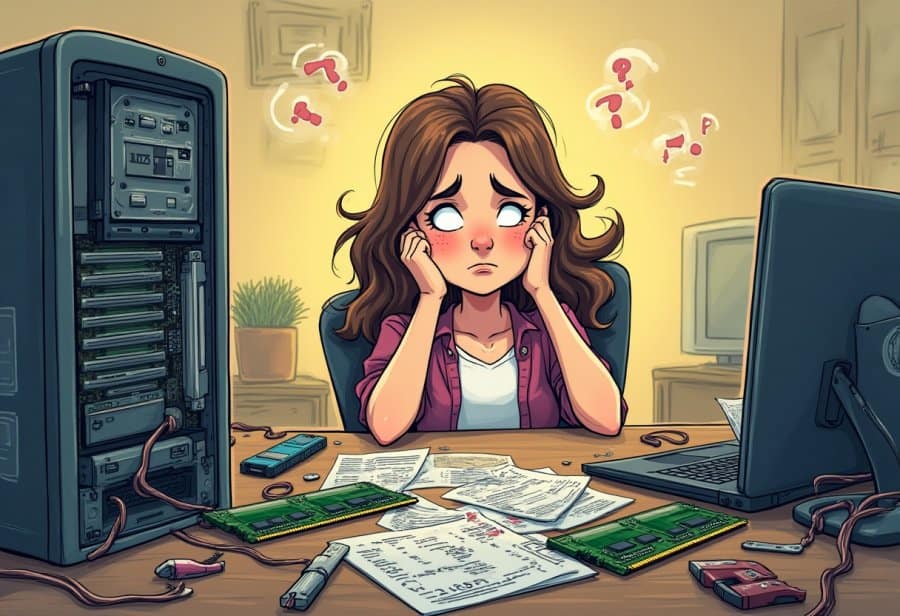
Embracing the chaos of DIY computer upgrades means accepting that mistakes, tangled cables, and unexpected setbacks are just part of the journey. Instead of getting frustrated, see these moments as opportunities for humor and growth. A good sense of patience and humor can turn what feels like a disaster into a funny story you’ll laugh about later. Remember, even experienced tech enthusiasts have faced their fair share of mishaps—what matters is how you handle them. When you stay calm and approach each problem with a methodical mindset, solutions become clearer and the process more enjoyable.
The real reward isn’t just a faster, more powerful system; it’s the confidence and knowledge you gain along the way. Every tangled cable or dropped screw becomes a badge of honor, proof that you’re learning and pushing your skills forward. These chaotic moments are inevitable, but they also serve as valuable lessons. They remind us that perfection isn’t the goal—progress is. When you accept that things won’t always go perfectly on the first try, frustration gives way to curiosity and a sense of achievement.
Patience is your best ally in this process. Rushing can lead to overlooked steps or small errors that turn a simple upgrade into a full-blown chaos fest. Slow down, double-check your work, and take breaks if needed. Moving deliberately helps catch mistakes early and keeps small issues from snowballing into bigger problems. The calm, steady pace not only saves time but also makes troubleshooting easier, turning what could be a stressful experience into a rewarding challenge.
Humor plays a vital role in transforming frustration into fun. Laughing at your own slip-ups—like that time you spent an hour trying to fit a graphics card that was just a millimeter too big—keeps morale high and makes the process memorable. Sharing these stories with friends or online communities builds camaraderie and reminds you that everyone faces mishaps. These funny moments become part of the story, making your upgrade journey more than just a technical task — it becomes a memorable adventure.
At the end of the day, every chaotic moment is a step toward becoming more confident and capable. With each screw you drop or cable you untangle, you’re building skills and resilience. Embracing the mess, staying patient, and keeping a sense of humor turn potential frustrations into funny stories and valuable lessons. When you finish your upgrade, you won’t just have a faster PC—you’ll have a story to tell and a new level of confidence in your own hands. That’s the true reward of embracing the chaos.